• Skip to primary navigation
  • Skip to main content
  • Skip to primary sidebar
RMM logo 2
Get All Flash File
Menu
  • Home
  • Training
    • Offline Training
      • Kolkata
      • Kolhapur
      • Patna
    • L1: Basic Software & Hardware
    • L2: Advanced Software & Hardware
    • L3: Super Advanced UFS
    • iPhone Training
  • Solution
    • Flash File
    • Flash Tool
    • Driver
    • Combination
    • FRP
    • Root
    • Hard Reset
    • Hardware
  • Premium Flash File
    • Premium Flash File
    • Fast Download Server
    • Android Dump Files
  • Log In
  • Home
  • Training
    • Offline Training
      • Kolkata
      • Kolhapur
      • Patna
    • L1: Basic Software & Hardware
    • L2: Advanced Software & Hardware
    • L3: Super Advanced UFS
    • iPhone Training
  • Solution
    • Flash File
    • Flash Tool
    • Driver
    • Combination
    • FRP
    • Root
    • Hard Reset
    • Hardware
  • Premium Flash File
    • Premium Flash File
    • Fast Download Server
    • Android Dump Files
  • Log In

Redmi Note 8 ENG File

Redmi Note 8 ENG File

July 18, 2022


This content is for Premium Files Membership Plan: 1 Month , Premium Files Membership Plan: 6 Month , Premium Files Membership Plan: 1 Year; Unlock Tool & FRP Training, and Fast Download Server: 1 Month members only.

Filed Under: Premium Flash Files

Redmi Note 7 ENG File

July 16, 2022


This content is for Premium Files Membership Plan: 1 Month , Premium Files Membership Plan: 6 Month , Premium Files Membership Plan: 1 Year; Unlock Tool & FRP Training, and Fast Download Server: 1 Month members only.

Filed Under: Premium Flash Files

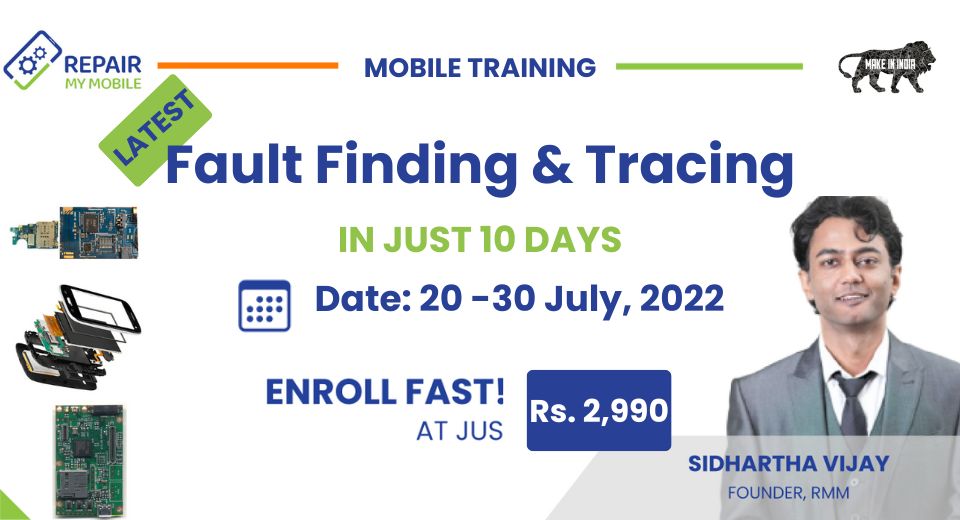
Join Fault Finding & Tracing Training

July 15, 2022 Leave a Comment

  • 4500+ Student Trained
  • 8 Expert Trainers
  • Lifetime Video Access

    Join Fault Finding & Tracing Training for Rs. 2,990

    Join Training: Rs. 2,990
    • Fees: Rs. 2,990
    • Batch Date: 20 – 30 July, 2022

    आप क्या सीखेंगे (पाठ्यक्रम):

    Charging Fault

    • No charging
    • Fake Charging
    • Charging Error
    • Thermal Section

    LCD Fault

    • No LCD Light
    • No Graphics
    • Blue LCD
    • White LCD

    Audio Fault

    • Headphone Logo
    • Headphone Connection issue
    • Audio Fault
    • Ringer Fault

    Dead Fault

    • Power IC working Check-up
    • VPH Line Check-up
    • CPU voltage
    • Voltage Testing

      Join Fault Finding & Tracing Training for Rs. 2,990

      Join Training: Rs. 2,990

      हमारे Trainers:

      हमारे पास 15 से अधिक वर्षों के अनुभव वाले मोबाइल प्रशिक्षकों की एक टीम है और हमारे Online और Offline Training Centre के माध्यम से 4500 से अधिक छात्रों को प्रशिक्षित किया गया है।


      Filed Under: Training

      Poco C40 Flash File (Stock ROM)

      July 13, 2022


      This content is for Premium Files Membership Plan: 1 Month , Premium Files Membership Plan: 6 Month , Premium Files Membership Plan: 1 Year; Unlock Tool & FRP Training, and Fast Download Server: 1 Month members only.

      Filed Under: Android Flash File Database, Fast Download Server

      July 7, 2022 Leave a Comment

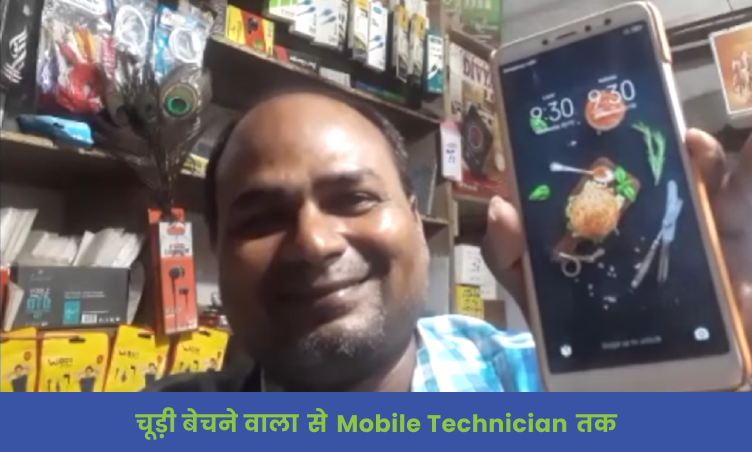
      4500+ technicians have registered till now and have grown their BUSINESS

      WhatsApp for file details

      WE ARE REGISTERED WITH

      <span data-metadata=""><span data-buffer=""> उन्होंने किया अब आपकी बारी !

      Have a look at all RMM Student Reviews

      All Student Reviews

      JOIN US TODAY & HAVE 10% OFF ON COURSE FEES

      WhatsApp for file details

      Become a part of RMM Family

      https://repairmymobile.co/uncategorized/55615/

      Filed Under: Uncategorized

      Oppo A15s CPH2179 Pattern and FRP File using by SP Flash Tool

      July 5, 2022 Leave a Comment

      Using SP Flash tool, we will reset the pattern of Oppo A15s CPH2179.

      • Oppo_A15s_CPH2179_Pattern_&_FRP_File
      • MCT MTK Auth Bypass
      • SP Flash tool

      Steps to Unlock Pattern and FRP Oppo A15s CPH2179 using SP Flash Tool:

      • Open Driver folder and install libusb driver.
      • Open MCT folder & run MCT tool. Click on Bypass then switch off phone. Hold both Volume keys & connect phone to USB. It will disable the Protection and will Display Protection Disabled in MCT tool interface.
      • Now, run SP Flash tool & select DA file from the DA folder within the Oppo A15s CPH2179 main folder.
      • Select Oppo A15s CPH2179 Flash File.
      • Switch to Format tab in SP Flash tool & select Manual Format Flash.
      • Open Scatter file of Oppo A15s CPH2179 and search for userdata. Then, copy Physical Start address and paste in Begin Address under SP Flash tool.
      • Then from scatter file, copy Partition size & paste it in Format Length under SP Flash tool.
      • Select Option, and choose Connection under it. Make sure to match COM Port as shown in device manager to the Com Port under Connection and select Baud Rate of 921600.
      • Click on Start within SP flash tool to reset the pattern.
      • Switch on Device as the process will reset the password within phone.

      Filed Under: Android Flash File Database

      • « Go to Previous Page
      • Page 1
      • Interim pages omitted …
      • Page 392
      • Page 393
      • Page 394
      • Page 395
      • Page 396
      • Interim pages omitted …
      • Page 937
      • Go to Next Page »

      Primary Sidebar

      Join Free Demo Classes!!!

      Free demo classes
      demo group

      Recent Posts

      • OnePlus 12 5G CPH2583 Flash File (Stock ROM)
      • OnePlus 10T 5G CPH2417 Flash File (Stock ROM)
      • Vivo Y400 5G PD2469F Dump File
      • Tecno Spark 20C BG7n Dead Boot Repair File
      • Tecno Megapad Pro T1201 Flash File (Stock ROM)

      RMM Other website & App

      training.repairmymobile.co

      RMM Android App

      Join Telegram Group

      Repair My Mobile

      Our Services

      Privacy Policy

      Term & Condition

      Contact us

      About us

      Sitemap

      Join Our Community

      Facebook Youtube Instagram Linkedin Twitter Whatsapp

      Contact

      sidhartha@repairmymobile.co

      +91-9060 2999 19

      Mon-Sat:10:00am to 6.00pm

      Official QR Code

      Official Payment no.

      Course: 8935939022

      Call/WhatsApp: 91-893-593-9022

      Paypal: vijaytech89@gmail.com


      Note: Repair My Mobile
      Official Payment no.

      Bakarganj, Patna, Bihar 800004

      Payment Partner

      Copyright © 2025 RMM. Designed by RMM All rights reserved.

      Click to Chat