• Skip to primary navigation
  • Skip to main content
  • Skip to primary sidebar
RMM logo 2
Get All Flash File
Menu
  • Home
  • Training
    • Offline Training
      • Kolkata
      • Kolhapur
      • Patna
    • L1: Basic Software & Hardware
    • L2: Advanced Software & Hardware
    • L3: Super Advanced UFS
    • iPhone Training
  • Solution
    • Flash File
    • Flash Tool
    • Driver
    • Combination
    • FRP
    • Root
    • Hard Reset
    • Hardware
  • Premium Flash File
    • Premium Flash File
    • Fast Download Server
    • Android Dump Files
  • Log In
  • Home
  • Training
    • Offline Training
      • Kolkata
      • Kolhapur
      • Patna
    • L1: Basic Software & Hardware
    • L2: Advanced Software & Hardware
    • L3: Super Advanced UFS
    • iPhone Training
  • Solution
    • Flash File
    • Flash Tool
    • Driver
    • Combination
    • FRP
    • Root
    • Hard Reset
    • Hardware
  • Premium Flash File
    • Premium Flash File
    • Fast Download Server
    • Android Dump Files
  • Log In

Apple iPhone 15 Pro Max IPSW Flash File (Stock ROM)

Apple iPhone 15 Pro Max IPSW Flash File (Stock ROM)

April 12, 2024 Leave a Comment

Download Apple iPhone 15 Pro Max Flash File:

  • iPhone16,2_17.4.1_21E237_Restore
  • iTune Flash Tool

How to Restore Apple iPhone 15 Pro Max using itunes:

  • Install iTunes on PC.
  • Use USB cable to connect phone to PC.
  • Connect iPhone 15 Pro Max to pc holding Home Key, while connecting phone it should vibrate.
  • Choose Restore iPhone on itune, it will erase all the data and will install the firmware.
  • Hold Shift Key and select ipsw file.
  • Click start, When flashing is completed plug out usb cable & boot phone holding power key.

Filed Under: Android Flash File Database

Apple iPhone 13 Flash File (Stock ROM)

April 11, 2024 Leave a Comment

Download Apple iPhone 13 Flash File:

  • Apple iPhone 13 Flash File
  • iTune Flash Tool

How to Restore Apple iPhone 13 using itunes:

  • Install iTunes on PC.
  • Use USB cable to connect phone to PC.
  • Connect iPhone 13 to pc holding Home Key, while connecting phone it should vibrate.
  • Choose Restore iPhone on itune, it will erase all the data and will install the firmware.
  • Hold Shift Key and select ipsw file.
  • Click start, When flashing is completed plug out usb cable & boot phone holding power key.
Filed Under: Android Flash File Database

Lava Blaze 2 LZX409 Flash File (Stock ROM)

April 9, 2024


This content is for Premium Files Membership Plan: 1 Month , Premium Files Membership Plan: 6 Month , Premium Files Membership Plan: 1 Year; Unlock Tool & FRP Training, and Fast Download Server: 1 Month members only.

Filed Under: Android Flash File Database, Fast Download Server, Premium Flash Files

How to Remove Bloatware/System Apps From Xiaomi’s HyperOS using Mobile

April 9, 2024 Leave a Comment

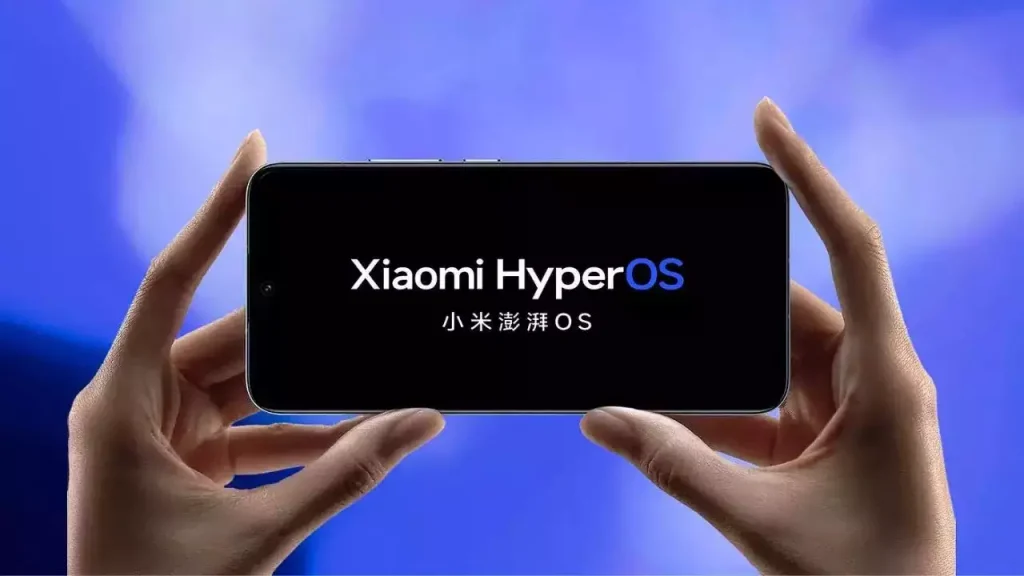
xiaomi hyperos

Xiaomi has released their new Miui skin called HyperOS. It offers a range of new features & functionality and is more advanced compared to its predecessor. Like any other operating system, it comes with preloaded apps and bloatware which can account for more occupied storage and in return can slow the performance of the device. 

In this article, we will see steps to debloat and remove bloatware from HyperOS to increase the storage and improve the performance of the device. 

What is Bloatware?

It refers to preinstalled apps that have been added to the OS by its manufacturer or carrier. Most of the apps are useful but some of them are rarely used. Removing unused or unnecessary apps from the device can free up storage, improve performance and battery life. 

How to Identify Bloatware on Xiaomi HyperOS: 

  • Apps that duplicate functionality and are already provide by OS
  • Apps that are rarely used
  • Apps that display tons of ads

How to remove Bloatware from Xiaomi HyperOS:

Method 1: Uninstalling Apps

The easiest way to remove Bloatware is by uninstalling the apps directly from the device. 

  • Open Setting.
  • Scroll down or search for Apps.
  • Select the App you want to uninstall. 
  • Tap on uninstall or disable to remove it from the device. 
  • Follow the on-screen prompt to confirm the uninstallation. 

Method 2: Using LADB Connect tool from playstore

  • Download and install LADB tool. 
  • Enable developer option and then enable wireless debugging. 
  • Launch LDAP tool and note down the Port & pairing code displayed on the screen. 
  • Open Wireless Debugging menu and click on pair device. Use code copied from the previous step. 
  • Once Wireless debugging is connected. We have to use adb command to uninstall the system apps. 
  • ADB command is adb shell pm uninstall -k –user 0 <package_name>, (replace with the package name of the app you want to uninstall)
  • In order to get package name, Open the app on playstore and share it https://play.google.com/store/apps/details?id=com.instagram.android&hl=en_IN&gl=US. Bold letter in the link is the package. 

Method 3: Rooting your Xiaomi Device

Rooting any android phone provides full administrative access, it allows us to remove any of the system apps and bloatware that are otherwise inaccessible. However, rooting voids warranty and even cause OS crash. 

If you are still looking to root your device, you can use popular rooting software like Magisk, SuperSU, and KingRoot.  

Filed Under: How To

Lava Z33 LEX402 Flash File (Stock ROM)

April 6, 2024


This content is for Premium Files Membership Plan: 1 Month , Premium Files Membership Plan: 6 Month , Premium Files Membership Plan: 1 Year; Unlock Tool & FRP Training, and Fast Download Server: 1 Month members only.

Filed Under: Android Flash File Database, Fast Download Server, Premium Flash Files

Vivo V25e PD2214F Flash File (Stock ROM)

April 6, 2024 Leave a Comment

Download Vivo V25e PD2214F Flash File:

  • PD2214F_EX_A_13.1.11.18.W30.V000L1
  • SP Flash Tool
  • Af Tool Download
  • MTK Driver

How to Flash Vivo V25e PD2214F:

Install MTK Driver.
1- Download the package & Extract SP Flash tool.
2- Out of the icon appearing, Double click on Flash_tool.exe
3- it will launch the tool on your PC, Click on Scatter-Loading appearing on the Right side of the tool.
4- Now, assign the firmware which will be in form “Android_scatter.txt”.
5- Click on Download to start flashing.
6- Switch off your Mobile and Connect it to PC by pressing Volume down or Volume up key if it fails then connect without pressing any key in off mode.
7- It will lead you to Successful Flashing

Filed Under: Android Flash File Database

  • « Go to Previous Page
  • Page 1
  • Interim pages omitted …
  • Page 288
  • Page 289
  • Page 290
  • Page 291
  • Page 292
  • Interim pages omitted …
  • Page 924
  • Go to Next Page »

Primary Sidebar

Join Free Demo Classes!!!

Free demo classes
demo group

Recent Posts

  • Infinix Note 50x 5G X6857 Flash File (Stock ROM)
  • Vivo Y200e PD2341 UFS Dump File
  • Sasmung M05 SM-M055F Flash File (Stock ROM)
  • Samsung M14 5G SM-M146B UFS Dump File
  • Samsung A14 5G SM-A146B UFS Dump File

RMM Other website & App

training.repairmymobile.co

RMM Android App

Join Telegram Group

Repair My Mobile

Our Services

Privacy Policy

Term & Condition

Contact us

About us

Sitemap

Join Our Community

Facebook Youtube Instagram Linkedin Twitter Whatsapp

Contact

sidhartha@repairmymobile.co

+91-9060 2999 19

Mon-Sat:10:00am to 6.00pm

Official QR Code

Official Payment no.

Course: 8935939022

Call/WhatsApp: 91-893-593-9022

Paypal: vijaytech89@gmail.com


Note: Repair My Mobile
Official Payment no.

Bakarganj, Patna, Bihar 800004

Payment Partner

Copyright © 2025 RMM. Designed by RMM All rights reserved.

Click to Chat