
This content is for Premium Files Membership Plan: 1 Month , Premium Files Membership Plan: 6 Month , Premium Files Membership Plan: 1 Year; Unlock Tool & FRP Training, and Fast Download Server: 1 Month members only.

Download Xiaomi 13T Pro Flash File:
WhatsApp for Mi Account: 893-593-9022
Note: You will need Authorized tool to Flash and Remove Mi Account from Redmi Pad.
Install MTK Driver.
1- Download the package & Extract SP Flash tool.
2- Out of the icon appearing, Double click on Flash_tool.exe
3- it will launch the tool on your PC, Click on Scatter-Loading appearing on the Right side of the tool.
4- Now, assign the firmware which will be in form “Android_scatter.txt”.
5- Select Authentication file in SP Flash Tool.
6- Click on Download to start flashing.
7- Switch off your Mobile and Connect it to PC by pressing Volume down or Volume up key.
8- It will lead you to Successful Flashing.
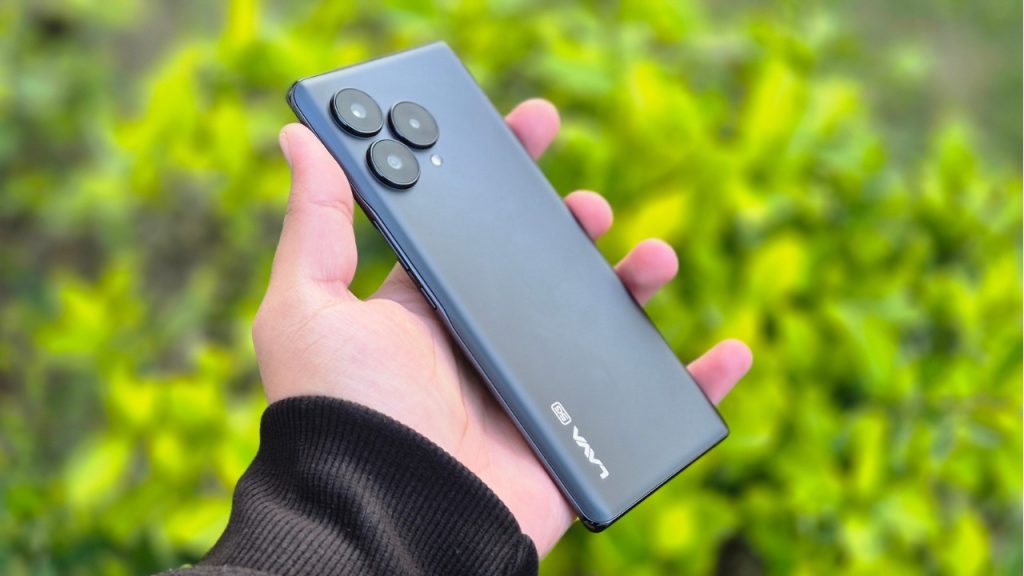
If you are using a Lava smartphone for a long period of time. Things which are quite obvious are phones getting hanged and performance starts to degrade.
Running too many apps at the same time: We use many Apps on the phone in one go. After switching to another App, earlier Apps run in the background. As a result, much of the resources or RAM is being used and in turn it slows down the phone.
Leaving apps running in the background: Always make sure to close all apps running in the background. As, it gets stored and executed by RAM and if your phone has RAM of up to 4GB. Much of its resources are being used by OS & Opened Apps.
Internal Storage Full: Always try to have 20 percent of internal storage free. In today’s world, almost every lava smartphone user has messaging apps like WhatsApp and it stores media files. Over a period of time, it can account for most of the internal storage space resulting in slow performance and hanging.
Software Updates: it is recommended to install official updates for lava smartphones. As it improves performance, stability and security of the device. Ignoring software updates can lead to hanging, as new updates are bug free.
Using Phone during charging: can lead to heat up device & hang.
Malware or Virus: if you are downloading movies or cracked software from the internet. It usually leads to malware and viruses and can degrade the performance.
Hardware issue: can be repaired only by repairing or replacing the faulty parts. For example if you are not using the official charger to charge the phone. Then, over the period of time the battery will degrade and the charging port can be damaged.
Overheating: if a device is getting heated then it’s appropriate to not use the device as it will shut down on its own to protect its components.
Restart the Phone: A simple restart frees up ram as it kills all apps in the background. After getting started, all of the resources are free to use.
Internal Storage: make sure to keep 25% of internal storage free as it ensures smooth functioning of the phone.
Unused Apps: Uninstall unused apps. It will increase storage which is free to be used.
Disable Background Apps: Disabling or closing background apps free up resources. It ensures smooth functioning of the lava smartphones.
Update OS & Apps: if any official update are released for your device then make sure to install it as the new patch has been designed for stability, increasing performance & security of the device.
Factory Reset: is the process of restoring the phone to its original state. It deletes all of the data within the phone.
Check for Malware or Virus: It is always good to perform a scan of your lava phones using reputable Malware or virus scanner. One quick tip to identify malware, ads will popup of its own.
Flashing: is the ultimate solution to get rid of any software issue, malware and viruses from the device. It reinstall Android OS on the device and the device gets reset to its original state.
Clear cache: can free up space, improve performance and fix app problems. In order to clear the cache, you have to open the App from settings. Then, open the app and then clear the cache.

We all are using android phones and it has become an essential part of our daily life. While, we rely on our phone for day to day tasks. According to reports from Datareportal, we Indians spend around 4 hours 5 minutes on mobile phones.
If a phone hangs often, it can result in anxiety and frustration. As it can negatively impact the day to day task.
Running too many apps at the same time: We use tons of apps in our day to day life based on our requirements. One issue with android phones is that, when we open another app. The previous app does not get closed on its own. Running more apps at a time can use much of its resources.
Leaving apps running in the background: the ideal situation is to close apps after being used. But, that is not the case and all of the apps which have been used keep running in the background as it uses most of its resources.
Ignoring software updates: Whenever official updates are being rolled out for devices, always install. As it improves performance and stability of the device.
Phone Storage: If your phone storage is almost full, it can be due to photos, videos and other media files stored on the device. If most of the storage is used, it will slow down the phone and can lead to hang.
Using Phone during Charging: can lead to heating issues and cause hang.
Outdated operating System: Not all phone manufacturers provide lifetime OS updates, most of them provide 2-3 Android version updates. So, over a period of time phone android OS will get outdated and phones will not be able to provide smooth functioning of new apps.
Malware or virus: if you are downloading files from torrents or using cracked versions of any tools. It can lead to unwanted malware and viruses which will cause chaos and the phone will not work smoothly.
Hardware issues: if your phone has software issues, 9it can be sorted out by reinstalling android os. But, Hardware issues can be repaired only by replacing or repairing parts. Even a single hardware issue can result in hanging.
Poorly Designed Apps: It is recommended to download apps from playstore. If you are using any 3rd party apps, it can result in hanging lead to slow down its performance.
Overheating: If a phone is overheating, it will automatically shutdown to protect its components.
Restart the phone: A simple restart resolves most of the issue as it clears caches and frees up resources as it automatically kills apps running in the background.
Free up storage space: In today’s world, we use social media and Whatsapp. Over a period of time, they account for most of the storage on the device. Either clear cache and remove media within the apps. Make sure to have 20% space free, it will optimise performance of the device.
Uninstall unused Apps: Now-a-days Android suggests us to remove unused apps on the phones. As it allocated more free storage increasing its performance.
Disable background apps: If you are not using an app and it is running in the background. Make sure to close it, as it frees up resources and enhances performance.
Update OS & Apps: Updating your device to the latest OS increases stability and performance of the device. Updating Apps to its latest version adds new features and makes it bug free. As any update let it be OS or Apps is developed with its predecessors bugs in mind.
Factory reset: is the process of restoring a phone to its original state. As it deletes all of the data. This process works 9 out of 10 times.
Check for Malware or virus: A malware or virus disrupts the smooth functioning of the phone. Getting unlimited ads on the phone is a sign of malware. So use any reputable malware or antivirus to scan the internal & external storage of the phone.
Flashing: is the process of reinstallation of Android OS. It solves 100 percent of the software issue but is hard to perform.
Clear cache: can free up space, improve performance and fix app problems. In order to clear the cache, you have to open the App from settings. Then, open the app and then clear the cache.
Power Saving mode: Most of the android phone has power saving mode. As soon as you enable it, it reduces resources used by the phone and improves battery performance.
If none of the solutions resolve the issue, then you can visit any authorised mobile repairing shop. They can diagnose the issue and repair your phone to get rid of hanging issues.
Download Redmi Turbo 3 Flash File:
Note: You will need Authorized tool to Flash and Remove Mi Account.
Download Redmi Turbo 3 Flash File
1- Connect phone through USB cable to PC and unplug battery.
2- Short Test Point and connect battery.
3- Under Device Manger, port of Qualcomm HS USB QDLoader 9008 port will appear.
4- Download & run MI Flash Tool
5- Place the Flash File on Desktop.
6- Assign the Folder path.
7- Click on refresh & then tap Flash button.
Download Redmi Pad Pro Flash File:
Note: You will need Authorized tool to Flash and Remove Mi Account.
Download Redmi Pad Pro Flash File
1- Connect phone through USB cable to PC and unplug battery.
2- Short Test Point and connect battery.
3- Under Device Manger, port of Qualcomm HS USB QDLoader 9008 port will appear.
4- Download & run MI Flash Tool
5- Place the Flash File on Desktop.
6- Assign the Folder path.
7- Click on refresh & then tap Flash button.
