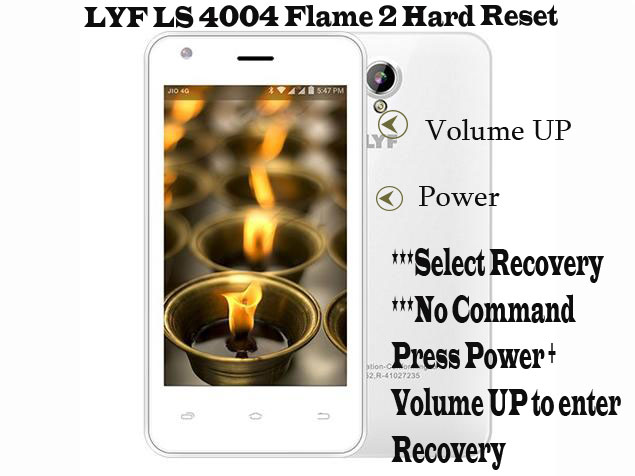
1- Charge LYF LS 4004 Flame 2 upto 70 percent.
2- Switch off device.
3- Press & Hold Power and Volume UP key.
4- Select Recover mode out of the options appearing and press volume down key to confirm.
5- No Command will Appear, press Power & Volume up together to shift to Recover mode.
6- Select Wipe Data/Factory Reset using Volume down key & Press Volume up to enter.
7- Select Yes-delete all user data using Volume down key & Press Volume up to enter.
8- After wiping of data has been completed, it will ask to reboot system now.
8- Reboot the phone.
9- Code or pattern has been reset.
LYF LS 4004 Flame 2 Pattern unlock (Hard Reset)
LYF Flame 4 LS 4003 Stock ROM Firmware (Flash File)
Download LYF Flame 4 LS 4003 Flash File:
How to Flash LYF Flame 4 LS 4003:
Install SPD Driver
1- Download the package & Extract Flash tool.
2- Out of the icon appearing, Double click on UpgradeDownload.exe.
3- It will Launch the tool on PC.
4- Click on Load Packed button & Select the Firmware with extension .pac at end.
5- Click on Downloading button which is at third position.
6- Switch off your Mobile & connect it to PC using Volume down key.
7- It will lead you to Successful flashing.
Karbonn Titanium 3D Plex Lite Flash File (Stock ROM)
Download Karbonn Titanium 3D Plex Lite Flash File:
How to Flash Karbonn Titanium 3D Plex Lite:
Install SPD Driver
1- Download the package & Extract Flash tool.
2- Out of the icon appearing, Double click on UpgradeDownload.exe.
3- It will Launch the tool on PC.
4- Click on Load Packed button & Select the Firmware with extension .pac at end.
5- Click on Downloading button which is at third position.
6- Switch off your Mobile & connect it to PC using Volume down key.
7- It will lead you to Successful flashing.
LYF Water 3 LS 5503 Pattern Unlock (Hard Reset)
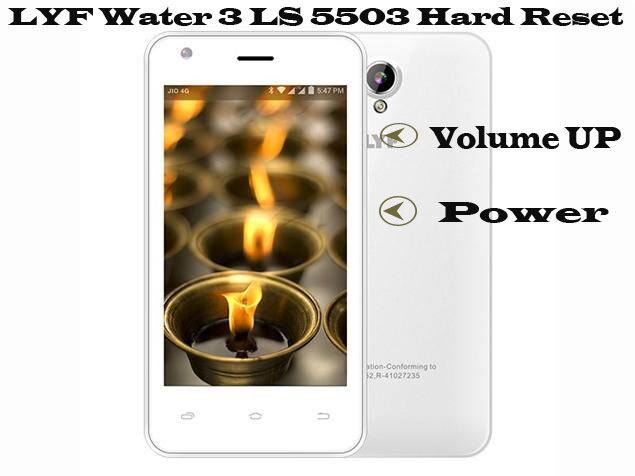
1- Charge LYF Water 3 LS 5503 upto 70 percent.
2- Switch off device.
3- Press & Hold Power and Volume UP key.
4- Recovery mode will appear.
5- Select Wipe Data/Factory Reset using Volume down key & Press Power to enter.
6- Select Yes-delete all user data using Volume down key & Press Power to enter.
7- Code or pattern has been reset.
LePhone TD8208 Flash File (Stock ROM)
Download LePhone TD8208 Flash File:
- TS203A_LEPHONE_TD8208_LC012_V5_MocorDroid2.3.5_W12.20_P8_V2.6.0_120917_MP
- TS203A_LEPHONE_TD8208_LC012_MocorDroid2.3.5_W12.20_P8_V2.0.0_120822_MP
- TS203A_LEPHONE_TD8208_LC012S_V5_MocorDroid2.3.5_W12.20_P8_V1.6.0_121127_MP
- TS203A_LEPHONE_TD8208_LC012F_V5_MocorDroid2.3.5_W12.20_P8_V1.4.0_121127_MP
- TS203A_V5.1_LEPHONE_TD8208_LC012E_P20.01_V1.0.5_130318_MP_Chip
- SPD Flash tool.
How to Flash LePhone TD8208:
Install SPD Driver
1- Download the package & Extract Flash tool.
2- Out of the icon appearing, Double click on UpgradeDownload.exe.
3- It will Launch the tool on PC.
4- Click on Load Packed button & Select the Firmware with extension .pac at end.
5- Click on Downloading button which is at third position.
6- Switch off your Mobile & connect it to PC using Volume down key.
7- It will lead you to Successful flashing.
LYF Wind 1 LS 5010 Pattern Unlock (Hard Reset)
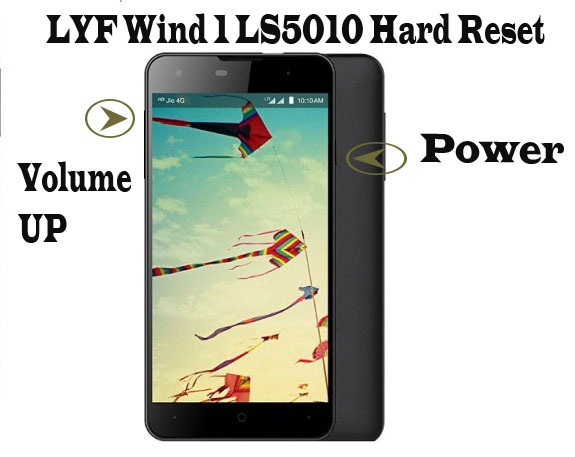
1- Charge LYF Wind 1 LS 5010 upto 70 percent.
2- Switch off device.
3- Press & Hold Power and Volume UP key.
4- Recovery mode will appear.
5- Select Wipe Data/Factory Reset using Volume down key & Press Power to enter.
6- Select Yes-delete all user data using Volume down key & Press Power to enter.
7- After Wiping of Data has been completed, Reboot System now using Power key.
8- Code or pattern has been reset.