• Skip to primary navigation
  • Skip to main content
  • Skip to primary sidebar
RMM logo 2
Get All Flash File
Menu
  • Home
  • Training
    • Offline Training
      • Kolkata
      • Kolhapur
      • Patna
    • L1: Basic Software & Hardware
    • L2: Advanced Software & Hardware
    • L3: Super Advanced UFS
    • iPhone Training
  • Solution
    • Flash File
    • Flash Tool
    • Driver
    • Combination
    • FRP
    • Root
    • Hard Reset
    • Hardware
  • Premium Flash File
    • Premium Flash File
    • Fast Download Server
    • Android Dump Files
  • Log In
  • Home
  • Training
    • Offline Training
      • Kolkata
      • Kolhapur
      • Patna
    • L1: Basic Software & Hardware
    • L2: Advanced Software & Hardware
    • L3: Super Advanced UFS
    • iPhone Training
  • Solution
    • Flash File
    • Flash Tool
    • Driver
    • Combination
    • FRP
    • Root
    • Hard Reset
    • Hardware
  • Premium Flash File
    • Premium Flash File
    • Fast Download Server
    • Android Dump Files
  • Log In

Tecno B3 Flash File (Stock ROM)

Tecno B3 Flash File (Stock ROM)

August 1, 2018

Download Tecno B3 Flash File:

  • Tecno B3 Firmware
  • SP Flash Tool
  • MTK Driver

How to Flash Tecno B3:

Install MTK Driver.
1- Download the package & Extract SP Flash tool.
2- Out of the icon appearing, Double click on Flash_tool.exe
3- it will launch the tool on your PC, Click on Scatter-Loading appearing on the Right side of the tool.
4- Now, assign the firmware which will be in form “Android_scatter.txt”.
5- Click on Download to start flashing.
6- Switch off your Mobile and Connect it to PC by pressing Volume down or Volume up key.
7- It will lead you to Successful Flashing

Filed Under: Android Flash File Database

Tecno H6 Flash File (Stock ROM)

August 1, 2018

Download Tecno H6 Flash File:

  • Tecno H6 Firmware
  • SP Flash Tool
  • MTK Driver

How to Flash Tecno H6:

Install MTK Driver.
1- Download the package & Extract SP Flash tool.
2- Out of the icon appearing, Double click on Flash_tool.exe
3- it will launch the tool on your PC, Click on Scatter-Loading appearing on the Right side of the tool.
4- Now, assign the firmware which will be in form “Android_scatter.txt”.
5- Click on Download to start flashing.
6- Switch off your Mobile and Connect it to PC by pressing Volume down or Volume up key.
7- It will lead you to Successful Flashing

Filed Under: Android Flash File Database

UFI, Easy Jtag & Hardware: Advance Training

July 30, 2018

UFI, Easy Jtag & Hardware: Advance Android Training

  • 3000+ Students Trained
  • 8 Expert Trainers
  • Lifetime Video Access

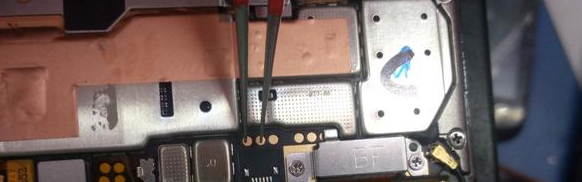
If you have either UFI or Easy Jtag Plus Box and unable to operate. You can join our training program to get in-hand experience.  Training covers all operations. By enrolling in training you will become efficient users of UFI & Easy Jtag Plus box. 

What you will learn (Syllabus):

UFI & Easy Jtag Advance Training

  • All model & brand Account Unlock, FRP, Flash, Data recovery  (Oppo, Vivo, Realme, Samsung)
  • EMMC Identify
  • BGA Identification
  • Lock read EMMC condition
  • Health & other tab information
  • EMMC change method
  • Firmware update method
  • EMMC health, Bad sector, 90% issue repair
  • Identify repair & non- repairable IC
  • Dump read, write and create
  • Partition important
  • How to identify my CPU is correct and EMMC not OK
  • EMMC RPMB Clean method

Advance Hardware Training

  • PM and PMI IC Work
  • Fix CPU and EMMC
  • Reballing 
  • Broken balls fix
  • Black or White pasted IC
  • Schematic reading
  • Fault finding
  • How to use DC Power supply and short Killer
  • Doubt Clearing
WhatsApp for Payment Details
Pay now: Rs.9,990
  • Fees: Rs.9,900
  • Support: 1 Month
  • Language: English, Hindi, Telugu, Kannada & Bengali
  • Users have to renew their subscription to access Support after 1 Month.
  • Video Access: Lifetime

Our Trainers:

We have a team of Mobile Trainers with over 15 years of Experience and trained more than 3000+ students through our Online & Offline Training Centre.  

What our Students have to say about us!
Students Review:

RepairMyMobile Journey:

UFI/Jtag:

  • UFI/Jtag Installation
  • ISP, ISP Voltage & ISP Details
  • Difference between EMMC & EMCP
  • Emmc Voltage
  • Clock speed
  • Baud rate
  • How to identify Emmc
  • How to read Emmc information
  • What is dump
  • How to Read dump
  • Read security backup
  • How to create userarea size
  • What is exclude user area
  • Custom area Boot size
  • RPMB size
  • How to fix boot area
  • What is Partition Confirmation
  • What is Nand test
  • How to remove permanently write protected
  • 90 percent consume solution
  • How to unlock online model without credit
  • How to flash online model without authentication
  • Bad health solution
  • What is factory image
  • Download Firmware on UFI
  • USB flashing with UFI
  • ISP flashing with UFI
  • Create ISP in new model Error solution
  • OFP Extract
  • What is CID
  • What is CSD
  • How to check Emmc health report

UFS Training:

  • CPU Drill
  • Micro jumper
  • UV Masking
  • Emmc Balls Making

Hardware Training: 

COMPONENT ON MOTHERBOARD:

  • Remove capacitor, Resistance & coil by safe method.
  • Remove battery & LCD connector by safe method.
  • Remove filter and mic ic.

 IC SECTION:

  • Remove LEG IC & fixed on motherboard.
  • Remove BALL IC, Cleaning, Reballing & fixing on motherboard.

WORK ON PASTED IC (BLACK OR WHITE):

  • Remove EMMC OR CPU.
  • Cleaning, Reballing & Fixing process.

SCHEMATIC READING PROCESS

CHARGING CONNECTOR:

  • VBAT LINE

FAULT FINDING:

  • Voltage, Primary & Secondary line.
  • Diode voltage, Cold and Hot testing.
  • Water Damage. 

SHORTING (FULL/HALF):

  • DC Power Supply usage.

DEAD BOOT REPAIR:

  • Power Supply. CPU COMPORT, EMMC COMPORT, SOFTWARE FOR FLASHING & PARTITION.

Filed Under: Training

Tecno M6 Flash File (Stock ROM)

July 30, 2018

Download Tecno M6 Flash File:

  • Tecno M6 Firmware
  • SP Flash Tool
  • MTK Driver

How to Flash Tecno M6:

Install MTK Driver.
1- Download the package & Extract SP Flash tool.
2- Out of the icon appearing, Double click on Flash_tool.exe
3- it will launch the tool on your PC, Click on Scatter-Loading appearing on the Right side of the tool.
4- Now, assign the firmware which will be in form “Android_scatter.txt”.
5- Click on Download to start flashing.
6- Switch off your Mobile and Connect it to PC by pressing Volume down or Volume up key.
7- It will lead you to Successful Flashing

Filed Under: Android Flash File Database

Tecno P5 Plus SmartLife Flash File (Stock ROM)

July 30, 2018

Download Tecno P5 Plus SmartLife Flash File:

  • Tecno P5 Plus SmartLife Firmware
  • SP Flash Tool
  • MTK Driver

How to Flash Tecno P5 Plus SmartLife:

Install MTK Driver.
1- Download the package & Extract SP Flash tool.
2- Out of the icon appearing, Double click on Flash_tool.exe
3- it will launch the tool on your PC, Click on Scatter-Loading appearing on the Right side of the tool.
4- Now, assign the firmware which will be in form “Android_scatter.txt”.
5- Click on Download to start flashing.
6- Switch off your Mobile and Connect it to PC by pressing Volume down or Volume up key.
7- It will lead you to Successful Flashing

Filed Under: Android Flash File Database

Tecno Y6 Flash File (Stock ROM)

July 30, 2018

Download Tecno Y6 Flash File:

  • TECNO_Y6_-_G320-A1-KK-20150915
  • TECNO_Y6-G320-B1-KK-EG-20150421
  • SP Flash Tool
  • MTK Driver

How to Flash Tecno Y6:

Install MTK Driver.
1- Download the package & Extract SP Flash tool.
2- Out of the icon appearing, Double click on Flash_tool.exe
3- it will launch the tool on your PC, Click on Scatter-Loading appearing on the Right side of the tool.
4- Now, assign the firmware which will be in form “Android_scatter.txt”.
5- Click on Download to start flashing.
6- Switch off your Mobile and Connect it to PC by pressing Volume down or Volume up key.
7- It will lead you to Successful Flashing

Filed Under: Android Flash File Database

  • « Go to Previous Page
  • Page 1
  • Interim pages omitted …
  • Page 722
  • Page 723
  • Page 724
  • Page 725
  • Page 726
  • Interim pages omitted …
  • Page 924
  • Go to Next Page »

Primary Sidebar

Join Free Demo Classes!!!

Free demo classes
demo group

Recent Posts

  • Sasmung M05 SM-M055F Flash File (Stock ROM)
  • Samsung M14 5G SM-M146B UFS Dump File
  • Samsung A14 5G SM-A146B UFS Dump File
  • Sasmung Galaxy F05 SM-E055F Flash File (Stock ROM)
  • Samsung Galaxy M55s SM-M558B Flash File (Stock ROM)

RMM Other website & App

training.repairmymobile.co

RMM Android App

Join Telegram Group

Repair My Mobile

Our Services

Privacy Policy

Term & Condition

Contact us

About us

Sitemap

Join Our Community

Facebook Youtube Instagram Linkedin Twitter Whatsapp

Contact

sidhartha@repairmymobile.co

+91-9060 2999 19

Mon-Sat:10:00am to 6.00pm

Official QR Code

Official Payment no.

Course: 8935939022

Call/WhatsApp: 91-893-593-9022

Paypal: vijaytech89@gmail.com


Note: Repair My Mobile
Official Payment no.

Bakarganj, Patna, Bihar 800004

Payment Partner

Copyright © 2025 RMM. Designed by RMM All rights reserved.

Click to Chat