• Skip to primary navigation
  • Skip to main content
  • Skip to primary sidebar
RMM logo 2
Get All Flash File
Menu
  • Home
  • Training
    • Offline Training
      • Kolkata
      • Kolhapur
      • Patna
    • L1: Basic Software & Hardware
    • L2: Advanced Software & Hardware
    • L3: Super Advanced UFS
    • iPhone Training
  • Solution
    • Flash File
    • Flash Tool
    • Driver
    • Combination
    • FRP
    • Root
    • Hard Reset
    • Hardware
  • Premium Flash File
    • Premium Flash File
    • Fast Download Server
    • Android Dump Files
  • Log In
  • Home
  • Training
    • Offline Training
      • Kolkata
      • Kolhapur
      • Patna
    • L1: Basic Software & Hardware
    • L2: Advanced Software & Hardware
    • L3: Super Advanced UFS
    • iPhone Training
  • Solution
    • Flash File
    • Flash Tool
    • Driver
    • Combination
    • FRP
    • Root
    • Hard Reset
    • Hardware
  • Premium Flash File
    • Premium Flash File
    • Fast Download Server
    • Android Dump Files
  • Log In

Infinix Note 10 X693 Flash File (STOCK ROM)

Infinix Note 10 X693 Flash File (STOCK ROM)

June 24, 2021

Download Infinix Note 10 Flash File.:

  • X693-H697BCDEFTU-R-GL-230224V814
  • X693-H697BCDEFTU-R-GL-221219V805
  • X693-H697BCDEFTU-R-GL-221025V794
  • X693-H697BCDEFTU-R-GL-220823V787
  • X693-H697BCDEFTU-R-GL-220419V770
  • X693-H697BCDEFTU-R-GL-220318V761
  • X693-H697BCDEFTU-R-GL-220214V756
  • X693-H697BCDEFTU-R-GL-211102V736
  • X693-H697BCDEFTU-R-GL-211009V729
  • X693-H697BCDEFTU-R-GL-210813V709
  • X693-H697BCDEFTU-R-GL-210728V685
  • X693-H697BCDEFTU-R-GL-210713V636
  • X693-H697BCDEFTU-R-GL-210604V575
  • SP Flash Tool
  • Tecno Flash Tool
  • MTK Driver

How to Flash Infinix Note 10:

Install MTK Driver.
1- Download the package & Extract SP Flash tool.
2- Out of the icon appearing, Double click on Flash_tool.exe
3- it will launch the tool on your PC, Click on Scatter-Loading appearing on the Right side of the tool.
4- Now, assign the firmware which will be in form “Android_scatter.txt”.
5- Click on Download to start flashing.
6- Switch off your Mobile and Connect it to PC by pressing Volume down or Volume up key.
7- It will lead you to Successful Flashing

Filed Under: Android Flash File Database

UFS Advance Training

June 24, 2021

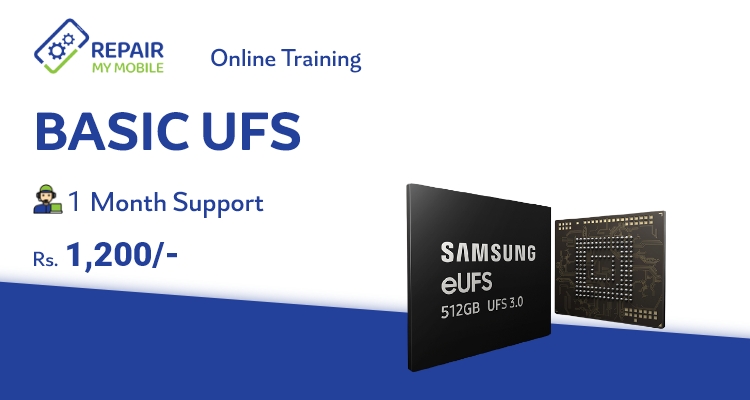
UFS Training: Basic Online Course for Android Phones

  • 3000+ Students Trained
  • 8 Expert Trainers
  • Lifetime Video Access

What you will learn (Syllabus):

Basic: UFS Training (Syllabus)

  • UFS Unlocking
  • CPU Drill
  • Micro jumper
  • UV Masking
  • Emmc Balls Making
  • CPU Reball
  • Doubt Clearing 
WhatsApp for Payment Details
Pay now: Rs.1200
  • Fees: Rs.1200
  • Support: 1 Month
  • Video Access: Lifetime
  • Users have to renew their subscription to access Support after 1 Month.

Our Trainers:

We have a team of Mobile Trainers with over 15 years of Experience and trained more than 3000+ students through our Online & Offline Training Centre.  

What our Students have to say about us!
Students Review:

MUNNA KUMAR
MUKESH KUMAR
Gurpreet Singh

RepairMyMobile Journey:

Filed Under: Training

Infinix Hot 10 Play X688B Flash File (STOCK ROM)

June 23, 2021

Download Infinix Hot 10 Play X688B Flash File:

  • X688B-H659ABCDEFGHIJKLMNO-R-GL-221214V856
  • X688B-H659ABCDEFGHIJKLMNO-R-GL-221028V843
  • X688B-H659ABCDEFGHIJKLMNO-R-GL-220216V638
  • X688B-H659ABCDEFGHIJKLMNO-R-GL-220418V727
  • X688B-H659ABCEFGHI-Q-GL-220109V524
  • X688B-H659ABCEFGHI-Q-GL-211111V506
  • X688B-H659ABCEFGHI-Q-GL-211018V489
  • X688B-H659ADI-Q-RU-210608V119
  • SP Flash Tool
  • Tecno Flash Tool
  • MTK Driver

How to Flash Infinix Hot 10 Play X688B:

Install MTK Driver.
1- Download the package & Extract SP Flash tool.
2- Out of the icon appearing, Double click on Flash_tool.exe
3- it will launch the tool on your PC, Click on Scatter-Loading appearing on the Right side of the tool.
4- Now, assign the firmware which will be in form “Android_scatter.txt”.
5- Click on Download to start flashing.
6- Switch off your Mobile and Connect it to PC by pressing Volume down or Volume up key.
7- It will lead you to Successful Flashing

Filed Under: Android Flash File Database

UFI & Easy JTag: Advance Training

June 23, 2021

UFI & Easy Jtag: Advance Online Training for Android Phones

  • 3000+ Students Trained
  • 8 Expert Trainers
  • Lifetime Video Access

What you will learn:

UFI & Easy Jtag: Syllabus

  • All model & brand Account Unlock, FRP, Flash, Data recovery  (Oppo, Vivo, Realme, Samsung)
  • EMMC Identify
  • BGA Identification
  • Lock read EMMC condition
  • Health & other tab information
  • EMMC change method
  • Firmware update method
  • EMMC health, Bad sector, 90% issue repair
  • Identify repair & non- repairable IC
  • Dump read, write and create
  • Partition important
  • How to identify my CPU is correct and EMMC not OK
  • EMMC RPMB Clean method
WhatsApp for Payment Details
Pay now: Rs.7990
  • Fees: Rs.7,990
  • Support: 1 Month
  • Video Access: Lifetime
  • Users have to renew their subscription to access Support after 1 Month.

Our Trainers:

We have a team of Mobile Trainers with over 15 years of Experience and trained more than 3000+ students through our Online & Offline Training Centre.  

What our Students have to say about us!
Students Review:

MUNNA KUMAR
MUKESH KUMAR
Gurpreet Singh

RepairMyMobile Journey:

Filed Under: Training

Oppo Reno 5G CPH1921ex Flash File (STOCK ROM)

June 23, 2021

Download Oppo Reno 5G CPH1921ex Flash File:

  • OPPO-RENO-5G-CPH1921EX_11_C.28
  • SP Flash Tool
  • MTK Driver

How to Flash Oppo Reno 5G CPH1921ex:

Download Oppo Reno 5G CPH1921ex Flash file
1- Download the Firmware package & run Flash tool.
2- Out of the icon appearing, Double click on MSM Download Tool. Enter Login Credential.
3- it will launch the tool on your PC, Click on Start All.
4- Then it will verify for PC Memory Checksum.
5- Switch off your Mobile and Connect it to PC by pressing Volume down and Volume up key.
6- It will lead you to Successful Flashing.

Filed Under: Android Flash File Database

Redmi Note 8 2021 Flash File (Stock ROM)

June 18, 2021

Download Redmi Note 8 2021 Flash File:

  • biloba_global_images_V14.0.6.0.TCUMIXM_20230918.0000.00_13.0_global
  • biloba_global_images_V14.0.4.0.TCUMIXM_20230511.0000.00_13.0_global
  • biloba_global_images_V14.0.3.0.TCUMIXM_20230224.0000.00_13.0_global (Android 13)
  • biloba_global_images_V13.0.10.0.SCUMIXM_20230203.0000.00_12.0_global
  • biloba_global_images_V13.0.9.0.SCUMIXM_20230104.0000.00_12.0_global
  • biloba_global_images_V13.0.7.0.SCUMIXM_20220923.0000.00_12.0_global
  • biloba_global_images_V13.0.6.0.SCUMIXM_20220728.0000.00_12.0_global
  • biloba_global_images_V13.0.4.0.SCUMIXM_20220523.0000.00_12.0_global
  • biloba_global_images_V12.5.9.0.RCUMIXM_20220322.0000.00_11.0_global
  • biloba_global_images_V13.0.2.0.SCUMIXM_20220125.0000.00_12.0_global
  • biloba_global_images_V12.5.8.0.RCUMIXM_20211103.0000.00_11.0_global
  • biloba_global_images_V12.5.6.0.RCUMIXM_20210804.0000.00_11.0_global
  • biloba_global_images_V12.5.4.0.RCUMIXM_20210609.0000.00_11.0_global
  • biloba_global_images_V12.5.2.0.RCUMIXM_20210512.0000.00_11.0_global
  • SP Flash Tool
  • MTK Driver

WhatsApp for Mi Account: 893-593-9022

Note: You will need Authorized tool to Flash and Remove Mi Account from Redmi Note 8.

How to Flash Redmi Note 8 2021:

Install MTK Driver.
1- Download the package & Extract SP Flash tool.
2- Out of the icon appearing, Double click on Flash_tool.exe
3- it will launch the tool on your PC, Click on Scatter-Loading appearing on the Right side of the tool.
4- Now, assign the firmware which will be in form “Android_scatter.txt”.
5- Click on Download to start flashing.
6- Switch off your Mobile and Connect it to PC by pressing Volume down or Volume up key.
7- It will lead you to Successful Flashing

Filed Under: Android Flash File Database

  • « Go to Previous Page
  • Page 1
  • Interim pages omitted …
  • Page 504
  • Page 505
  • Page 506
  • Page 507
  • Page 508
  • Interim pages omitted …
  • Page 925
  • Go to Next Page »

Primary Sidebar

Join Free Demo Classes!!!

Free demo classes
demo group

Recent Posts

  • Realme 3 & 3i Stock ROM
  • Realme Narzo N53 RMX3761 Stock ROM
  • Oppo Reno 13 5G CPH2689 Dump File
  • Redmi Note 12 Pro 5G UFS Dump File
  • Poco C61 Umt Dump File

RMM Other website & App

training.repairmymobile.co

RMM Android App

Join Telegram Group

Repair My Mobile

Our Services

Privacy Policy

Term & Condition

Contact us

About us

Sitemap

Join Our Community

Facebook Youtube Instagram Linkedin Twitter Whatsapp

Contact

sidhartha@repairmymobile.co

+91-9060 2999 19

Mon-Sat:10:00am to 6.00pm

Official QR Code

Official Payment no.

Course: 8935939022

Call/WhatsApp: 91-893-593-9022

Paypal: vijaytech89@gmail.com


Note: Repair My Mobile
Official Payment no.

Bakarganj, Patna, Bihar 800004

Payment Partner

Copyright © 2025 RMM. Designed by RMM All rights reserved.

Click to Chat