This content is for Premium Files Membership Plan: 1 Month , Premium Files Membership Plan: 6 Month , Premium Files Membership Plan: 1 Year; Unlock Tool & FRP Training, and Fast Download Server: 1 Month members only.

Download Nothing Phone 3a 5G 24111 Flash File:
Note: Nothing Phone 3a & 3a Pro are 5G 24111 same model.
1- Download Nothing Phone 3a 5G 24111 Flash file
2- Unzip File and Nothing Flash Tool
3- Install Qualcomm driver.
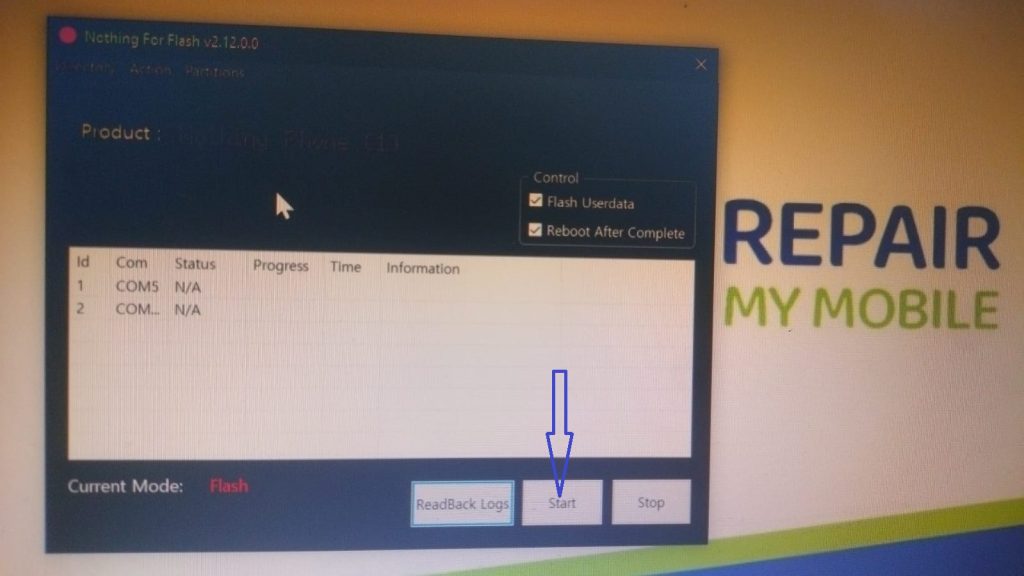
4- Run Nothing Flash Tool.
5- After launched flash tool, now click on Start Button.
6-Switch off your mobile and press Vol + & – or Vol UP + Vol Down key
7-After connected phone in system, you will get COM Port Qualcomm-HS-QSB-loader-9008.
8-This time flashing is going on, please wait until completed.
Download Nothing Phone 2a Plus 5G 23113V Flash File:
1- Download Nothing Phone 2a Plus 5G 23113V Flash file
2- Unzip File and Nothing Flash Tool
3- Install Qualcomm driver.
4- Run Nothing Flash Tool.
5- After launched flash tool, now click on Start Button.
6-Switch off your mobile and press Vol + & – or Vol UP + Vol Down key
7-After connected phone in system, you will get COM Port Qualcomm-HS-QSB-loader-9008.
8-This time flashing is going on, please wait until completed.
Download Nothing Phone 2a 5G 23111V Flash File:
1- Download Nothing Phone 2a 5G 23111V Flash file
2- Unzip File and Nothing Flash Tool
3- Install Qualcomm driver.
4- Run Nothing Flash Tool.
5- After launched flash tool, now click on Start Button.
6-Switch off your mobile and press Vol + & – or Vol UP + Vol Down key
7-After connected phone in system, you will get COM Port Qualcomm-HS-QSB-loader-9008.
8-This time flashing is going on, please wait until completed.