Download Moto Z Droid XT1650-01 Flash File:
How to Flash Moto Z Droid XT1650-01:
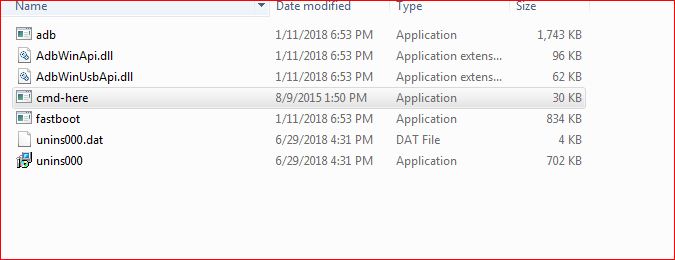
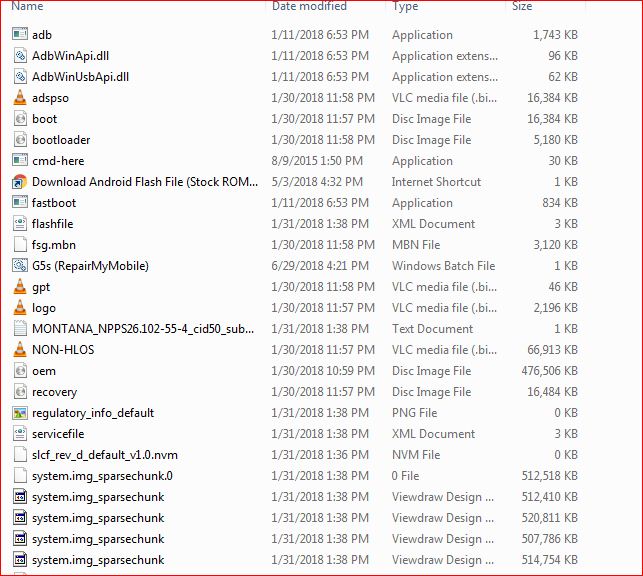
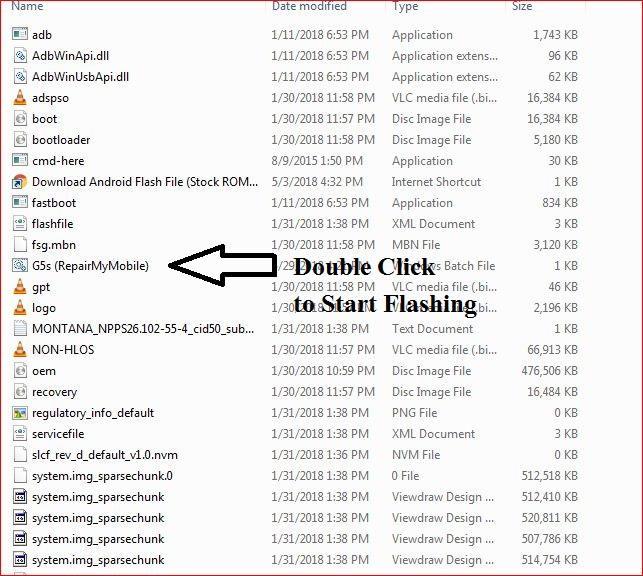
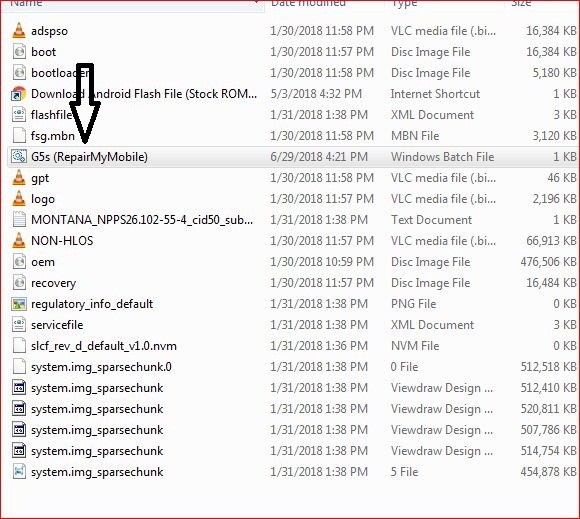
1- Download Moto Z Droid XT1650-01 Flash File & Extract, Place Moto Z Droid XT1650-01 Bat file in Firmware folder. 


![]()
![]()


Download Moto Z Droid XT1650-01 Flash File:
1- Download Moto Z Droid XT1650-01 Flash File & Extract, Place Moto Z Droid XT1650-01 Bat file in Firmware folder. 


![]()
![]()


Download Vivo Y27 PD1410F Flash File:
1- Download Vivo Y27 PD1410F Flash file
2- Download QPST tool.
3- Install Qualcomm driver.
4- Run QPST tool.
5- Add new port (Check device manager), Short test point then connect.
6- Click Load XML and browse for rawprogram_unsparse.xml in Stock ROM file.
7- Click Load Patch and browse for patch0.xml in Stock ROM file folder.
8- Select the firmware by clicking in Browser of Search Path.
9- Select Download and wait for the flashing to finish.
Download Vivo Y21 PD1309CW Flash File:
Install MTK Driver.
1- Download the package & Extract SP Flash tool.
2- Out of the icon appearing, Double click on Flash_tool.exe
3- it will launch the tool on your PC, Click on Scatter-Loading appearing on the Right side of the tool.
4- Now, assign the firmware which will be in form “Android_scatter.txt”.
5- Click on Download to start flashing.
6- Switch off your Mobile and Connect it to PC by pressing Volume down & Volume up keys if it fails then connect without pressing any key in off mode.
7- It will lead you to Successful Flashing
Download Vivo Y15cw PD1304CW Flash File:
Install MTK Driver.
1- Download the package & Extract SP Flash tool.
2- Out of the icon appearing, Double click on Flash_tool.exe
3- it will launch the tool on your PC, Click on Scatter-Loading appearing on the Right side of the tool.
4- Now, assign the firmware which will be in form “Android_scatter.txt”.
5- Click on Download to start flashing.
6- Switch off your Mobile and Connect it to PC by pressing Volume down & Volume up keys if it fails then connect without pressing any key in off mode.
7- It will lead you to Successful Flashing
Download Mi 9 SE Miui 11 Flash File:
Note: You will need Authorized tool to Flash and Remove Mi Account from Mi 9 SE.
Download Mi 9 SE Flash File
1- Connect phone through USB cable to PC and unplug battery.
2- Short Test Point and connect battery.
3- Under Device Manger, port of Qualcomm HS USB QLoader 9008 port will appear.
4- Download & run MI Flash Tool
5- Place the Flash File on Desktop.
6- Assign the Folder path.
7- Click on refresh & then tap Flash button.
Download Mi 9 Flash File:
Note: You will need Authorized tool to Flash and Remove Mi Account from Mi 9.
Download Mi 9 Flash File
1- Connect phone through USB cable to PC and unplug battery.
2- Short Test Point and connect battery.
3- Under Device Manger, port of Qualcomm HS USB QLoader 9008 port will appear.
4- Download & run MI Flash Tool
5- Place the Flash File on Desktop.
6- Assign the Folder path.
7- Click on refresh & then tap Flash button.