
• Skip to primary navigation
  • Skip to main content
  • Skip to primary sidebar
RMM logo 2
Get All Flash File
Menu
  • Home
  • Training
    • Offline Training
      • Kolkata
      • Kolhapur
      • Patna
    • L1: Basic Software & Hardware
    • L2: Advanced Software & Hardware
    • L3: Super Advanced UFS
    • iPhone Training
  • Solution
    • Flash File
    • Flash Tool
    • Driver
    • Combination
    • FRP
    • Root
    • Hard Reset
    • Hardware
  • Premium Flash File
    • Premium Flash File
    • Android Dump Files
  • Membership Account
  • Log In
  • Home
  • Training
    • Offline Training
      • Kolkata
      • Kolhapur
      • Patna
    • L1: Basic Software & Hardware
    • L2: Advanced Software & Hardware
    • L3: Super Advanced UFS
    • iPhone Training
  • Solution
    • Flash File
    • Flash Tool
    • Driver
    • Combination
    • FRP
    • Root
    • Hard Reset
    • Hardware
  • Premium Flash File
    • Premium Flash File
    • Android Dump Files
  • Membership Account
  • Log In
You are here: Home / Hardware / Samsung Android Phone Hang on Logo: Solution

Samsung Android Phone Hang on Logo: Solution

November 23, 2020

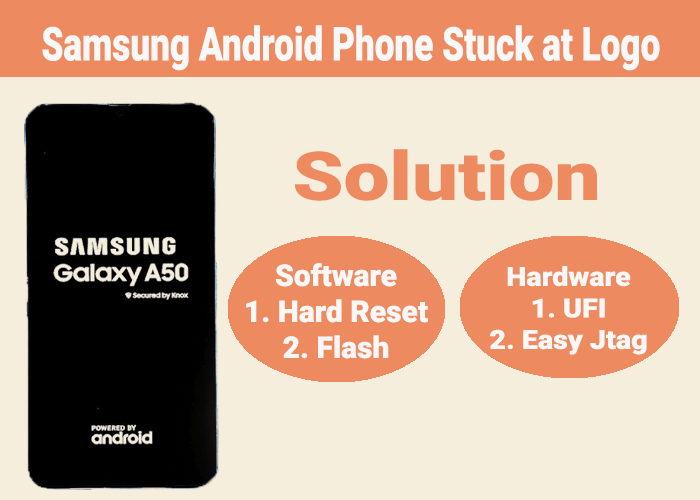
If any Samsung Android Phone get Stuck at logo, it can be either due to Software or Hardware.

Software: can be done either through flashing or by Hard Reset.

Hardware: can be done through UFI or Easy Jtag Plus.

Software: Tools & Software Required

  • Hard Reset: Using combination like Power + Volume UP + Menu works in most of the samsung android phones for Hard Reset. Wipe Data then Select Wipe Cache Partition.
  •  Flashing: using Samsung Android Flash File almost any samsung android phone can be flashed using odin tool.
  • Both the process can help you to recover phone from Boot Logo.

Hardware: using UFI Box.

  • Check Log report of the device. If it is ok, then check Health Report.
  • If health report shows 90 percent consumption then make GP Partition.
  • Else check Nand Test.
  • Now, Make backup of Dump (128 MB) & Security.
  • Erase & Format Emmc.
  • Then use Backup file to write Dump & Security.
  • Now, you have to flash the phone using Odin tool.
  • This process works on 90 percent of the device.

Using Hardware techniques, to repair Samsung Android phone. RepairMyMobile runs Training Programs.

Filed Under: Hardware

Primary Sidebar

Membership
Support

Advance Software & Hardware Training

Free demo classes

Recent Posts

  • Infinix Note Edge X6887 Flash File (Stock ROM)
  • Infinix Note 60 X6879 Flash File (Stock ROM)
  • Infinix GT 50 Pro X6891 Flash File (Stock ROM)
  • Vivo Y15c PD2140JF Flash File (Stock ROM)
  • Infinix Hot 70 X6895B Flash File (Stock ROM)

RMM Other website & App

training.repairmymobile.co

RMM Android App

Join Telegram Group

Repair My Mobile

Our Services

Privacy Policy

Term & Condition

Contact us

About us

Sitemap

Join Our Community

Facebook Youtube Instagram Linkedin Twitter Whatsapp

Contact

[email protected]

+91-9060 2999 19

Mon-Sat:10:00am to 6.00pm

Official QR Code

Official Payment no.

Course: 8935939022

Call/WhatsApp: 91-893-593-9022

Paypal: [email protected]


Note: Repair My Mobile
Official Payment no.

Bakarganj, Patna, Bihar 800004

Payment Partner

Copyright © 2025 RMM. Designed by RMM All rights reserved.

    Join UFS Training: super advanced course


      UFI, Easy Jtag और हार्डवेयर: Advance Android Training


        Join L1 Software: ऑनलाइन ट्रेनिंग