
Download Vivo V5 Plus PD1624F Flash File:
- PD1624F_EX_A_3.13.1
- PD1624F_EX_A_3.12.5
- PD1624F_EX_A_3.10.1
- Vivo V5 PlusPD1624F_EX_A_3.4.4
- QPST tool.
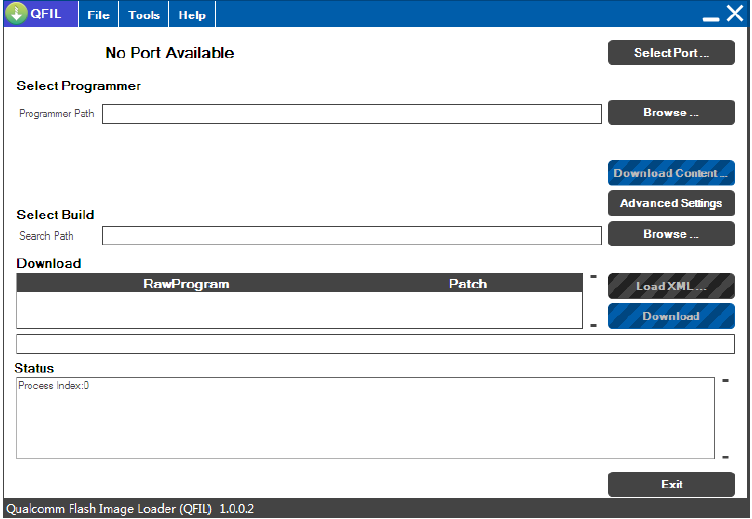
How to Flash Vivo V5 Plus PD1624F:
1- Download Vivo V5 Plus PD1624F Flash file
2- Download QPST tool.
3- Install Qualcomm driver.
4- Run QPST tool.
5- Add new port (Check device manager)
6- Click Load XML and browse for rawprogram_unsparse.xml in Stock ROM file.
7- Click Load Patch and browse for patch0.xml in Stock ROM file folder.
8- Select the firmware by clicking in Browser of Search Path.
9- Select Download and wait for the flashing to be finish.