
• Skip to primary navigation
  • Skip to main content
  • Skip to primary sidebar
RMM logo 2
Get All Flash File
Menu
  • Home
  • Training
    • Offline Training
      • Kolkata
      • Kolhapur
      • Patna
    • L1: Basic Software & Hardware
    • L2: Advanced Software & Hardware
    • L3: Super Advanced UFS
    • iPhone Training
  • Solution
    • Flash File
    • Flash Tool
    • Driver
    • Combination
    • FRP
    • Root
    • Hard Reset
    • Hardware
  • Premium Flash File
    • Premium Flash File
    • Android Dump Files
  • Membership Account
  • Log In
  • Home
  • Training
    • Offline Training
      • Kolkata
      • Kolhapur
      • Patna
    • L1: Basic Software & Hardware
    • L2: Advanced Software & Hardware
    • L3: Super Advanced UFS
    • iPhone Training
  • Solution
    • Flash File
    • Flash Tool
    • Driver
    • Combination
    • FRP
    • Root
    • Hard Reset
    • Hardware
  • Premium Flash File
    • Premium Flash File
    • Android Dump Files
  • Membership Account
  • Log In
You are here: Home / Android Flash File Database / LYF Jio F10Q Working Flash File (Stock ROM)

LYF Jio F10Q Working Flash File (Stock ROM)

April 3, 2018

Download LYF JIO F10q Flash File to install KAIOS OS on your phone.

  • LYF-F10Q-000-01-31-071119 (Latest 2020 Flash File)
  • QFil tool 

Note: Steps to Enable Diag Port in Jio Phones
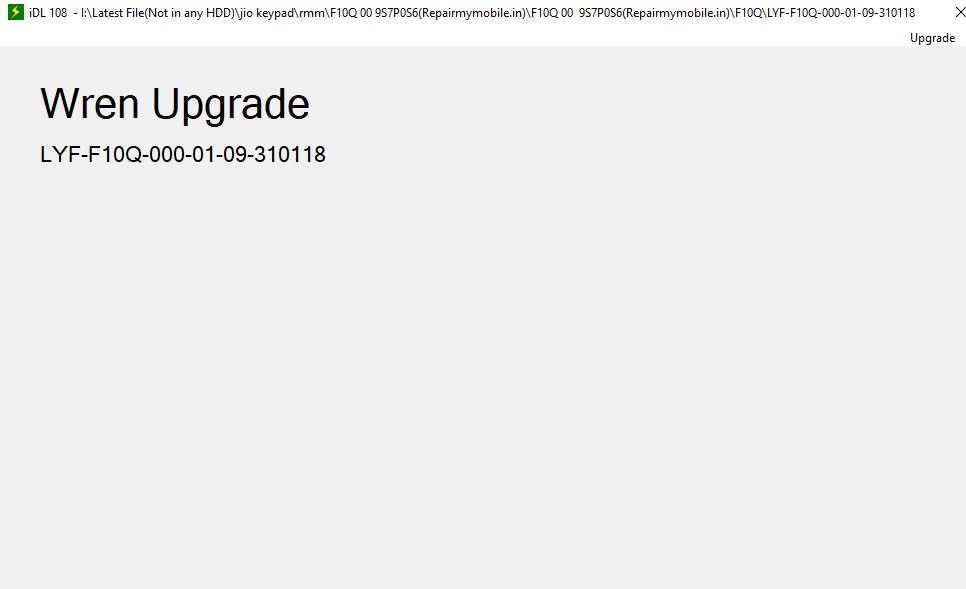
LYF F10Q Flash file

How to Flash LYF Jio F10Q:

1- Download LYF F10Q Flash file which consist of File, tool & Driver.
2- Install Driver
3- Connect Phone in ON mode to cross check driver installation. It will make port named “Qualcomm HS-USB Diagnostics 9008”
4- It means driver has been installed successfully.
5- Run qcMUP.
6- Click on Upgrade and then on Load SW
7- Assign the path of the Flash File.
8- Switch off Phone.
9- Press & Hold Power + UP-DPad key to put phone into download mode. (Phone will Vibrate for a second, Display will blink & Phone goes off, it indicates that the phone is in download mode.)
10- Or you can Hold UP-DPad and connect the phone through USB
11- Flashing Starts.

Filed Under: Android Flash File Database

Primary Sidebar

Membership
Support

Advance Software & Hardware Training

Free demo classes

Recent Posts

  • Moto G96 XT2531-2 Flash File (Stock ROM)
  • iTel P451 Flash File (Stock ROM)
  • iTel Aqua IT6133 Flash File (Stock ROM)
  • iTel IT5620a Flash File (Stock ROM)
  • iTel IT5608n Flash File (Stock ROM)

RMM Other website & App

training.repairmymobile.co

RMM Android App

Join Telegram Group

Repair My Mobile

Our Services

Privacy Policy

Term & Condition

Contact us

About us

Sitemap

Join Our Community

Facebook Youtube Instagram Linkedin Twitter Whatsapp

Contact

[email protected]

+91-9060 2999 19

Mon-Sat:10:00am to 6.00pm

Official QR Code

Official Payment no.

Course: 8935939022

Call/WhatsApp: 91-893-593-9022

Paypal: [email protected]


Note: Repair My Mobile
Official Payment no.

Bakarganj, Patna, Bihar 800004

Payment Partner

Copyright © 2025 RMM. Designed by RMM All rights reserved.

    Join UFS Training: super advanced course


      UFI, Easy Jtag और हार्डवेयर: Advance Android Training


        Join L1 Software: ऑनलाइन ट्रेनिंग