
• Skip to primary navigation
  • Skip to main content
  • Skip to primary sidebar
RMM logo 2
Get All Flash File
Menu
  • Home
  • Training
    • Offline Training
      • Kolkata
      • Kolhapur
      • Patna
    • L1: Basic Software & Hardware
    • L2: Advanced Software & Hardware
    • L3: Super Advanced UFS
    • iPhone Training
  • Solution
    • Flash File
    • Flash Tool
    • Driver
    • Combination
    • FRP
    • Root
    • Hard Reset
    • Hardware
  • Premium Flash File
    • Premium Flash File
    • Fast Download Server
    • Android Dump Files
  • Log In
  • Home
  • Training
    • Offline Training
      • Kolkata
      • Kolhapur
      • Patna
    • L1: Basic Software & Hardware
    • L2: Advanced Software & Hardware
    • L3: Super Advanced UFS
    • iPhone Training
  • Solution
    • Flash File
    • Flash Tool
    • Driver
    • Combination
    • FRP
    • Root
    • Hard Reset
    • Hardware
  • Premium Flash File
    • Premium Flash File
    • Fast Download Server
    • Android Dump Files
  • Log In
You are here: Home / Driver / Android MTK CDC Driver Auto Installer Download

Android MTK CDC Driver Auto Installer Download

January 3, 2019

All files are in premium section, purchase premium first (सभी फ़ाइलें प्रीमियम अनुभाग में हैं, पहले प्रीमियम खरीदें)

Download Android MTK CDC Driver auto installer to install it with one click. Usually New Oppo MTK phone requires CDC driver.

  • QcomMTK_Oplus_USB_Driver-Setup-4.0.1.6-RMM: Download | Mirror
  • QcomMtk_Driver_Setup_3.1.9 : Download (Oplus Port Work)
  • Android MTK CDC Driver: Download 1 |Download 2
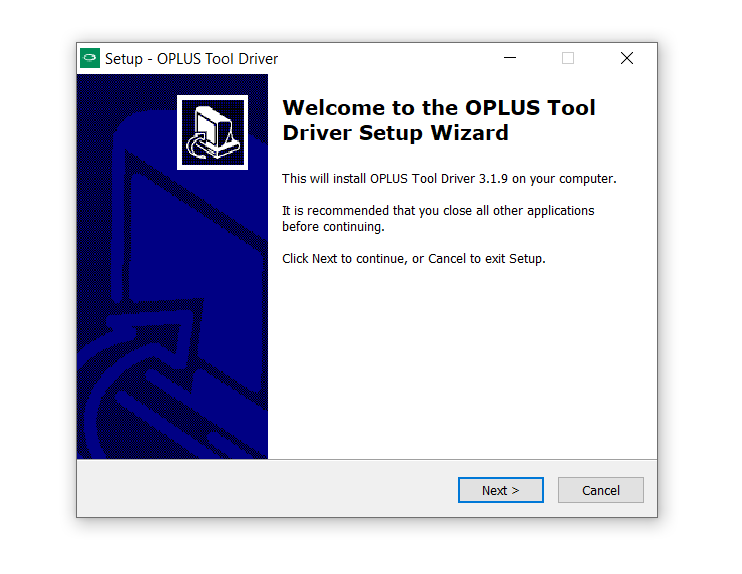
How to Install Android MTK CDC Driver:

1- Download Driver.
2- Unzip it.
3- Setup is available for both 32-bit & 64-bit PC.
4- Just follow the instruction within tool. It is auto installer which does not required to install manually.

Filed Under: Driver

Primary Sidebar

Join Free Demo Classes!!!

Free demo classes
demo group

Recent Posts

  • Lava A3 Torch Flash File (Stock ROM)
  • Lava Spark I8 Flash File (Stock ROM)
  • Lava A1 2025 Flash File (Stock ROM)
  • Lava A1 Vibe Flash File (Stock ROM)
  • Vivo Y39 5G PD2444F Dump File

RMM Other website & App

training.repairmymobile.co

RMM Android App

Join Telegram Group

Repair My Mobile

Our Services

Privacy Policy

Term & Condition

Contact us

About us

Sitemap

Join Our Community

Facebook Youtube Instagram Linkedin Twitter Whatsapp

Contact

sidhartha@repairmymobile.co

+91-9060 2999 19

Mon-Sat:10:00am to 6.00pm

Official QR Code

Official Payment no.

Course: 8935939022

Call/WhatsApp: 91-893-593-9022

Paypal: vijaytech89@gmail.com


Note: Repair My Mobile
Official Payment no.

Bakarganj, Patna, Bihar 800004

Payment Partner

Copyright © 2025 RMM. Designed by RMM All rights reserved.

Click to Chat